New Wharton Research – Persuasive Content Most Effective on Facebook
Today Wharton Professor Kartik Hosanagar held a webinar to discuss new research on Facebook Content Strategies. Professor Hosanager used a data set of 106,316 Facebook Posts from 782 companies. Those posts were categorized into 16 different content types (humor, philanthropy, product, deal, etc.). They reviewed the 450 million page fan responses to that content to determine content effectiveness for Likes and Comments on Facebook.
The research showed that “persuasive content” is the key to success.
 “We find that inclusion of persuasive content − like emotional and philanthropic content − increases engagement with a message. We find that informative content − like mentions of prices, availability and product features − reduce engagement when included in messages in isolation, but increase engagement when provided in combination with persuasive attributes.”
Persuasive is a bit of an academic term in this context. They mean content which creates an emotional, trust or logic connection. This is as opposed to “informative” content which discusses product features and prices. Note that the professor clarified in the Q&A that the research is for B-C companies. Informative content for B-B is successful.
To clarify, I asked about content strategies for direct response, such as click/buy. Professor Hosanager appreciated the question as it allowed him to note that offers may not produce the same engagement, but they may produce clicks/revenue. Basically corporations may chose to trade off viral reach for revenue.
At SimpleFeed we find that Social Media Managers often frown down upon product and offer content. However, this research suggests that it is really about context. This content can be successful, even measured with engagement metrics, if it is presented with emotional, trust or logical context and connection.
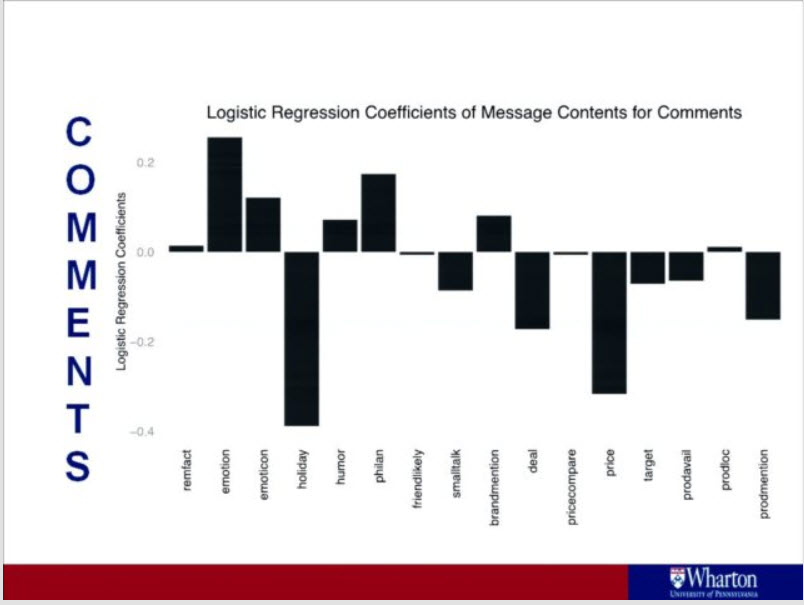 Professor Hosanager concluded with recommended three strategies
Signal Brand Personality
Highlight Social Initiatives
Use product posts with persuasive content
Typically I find academic research behind the curve, but this could not have been more timely and insightful. Our customers are eager for best practices on social content publishing. This is particularly true as Social Media Marketing is no longer just the purview of full time practitioners. A big theme for SimpleFeed in 2014 is helping part time social media mangers – channel partners, thought leaders, etc. make informed decision on social publishing . For example, our newest technology analyzes all possible content for a customer and makes recommendations on the best content to publish.
The complete research is available here.
The Google Reader Shut Down and the Truth About RSS
Since Google never tried to monetize Reader, the shutdown is not a surprise. What is interesting is the tremendous backlash. How can the cancellation of a product based on a “dead” technology be the biggest tech story of this year to date? It is a little like when people are dying – they start telling the truth.
There are millions of passionate RSS users in 2013 and that is not changing
In Forrester’s reaction, they noted that 9.6 million U.S. adults use RSS at least weekly and 24 million at least monthly. That is a small number compared to social networking, but the number is only part of the story. 500,000 people signed up for Feedly, one of the many Google Reader competitors, hours after the announcement. [Update: on April 1, Feedly announced 3 million new sign-ups.] Google Reader is 11% of subscribership to our customer’s feeds. This implies there are over 5 million people who are really, really serious about RSS. These are people who need RSS to do their job and live their lives. Are there 5 million people who are deeply passionate about a social network? Certainly there are for Facebook, but the rest? With or without Google, RSS is here to stay.
RSS is critical to marketing
Bob Warfield says it very well. RSS is unique. Customers use feed readers to get information, not to view their friend’s pictures or catch up on celebrities. So if you sell a commodity product, RSS is probably not for you. However, if your customers need your information for your company to generate revenue, the loss of Google Reader is scary. Media companies are an easy example.
TechCrunch noted that RSS is their second largest traffic source and is fretting about the viability of their business. Let that sink in a bit. RSS is second only to Google Search. That means it is above direct, email, Twitter, Facebook, etc. And since TechCrunch publishes full text feeds, vs. summaries in those other channels, the only reason to click through is to see the comments. So as a media consumption point, RSS may be more important than their web site. Further RSS is where they reach the info junkies who republish the content to followers on social networks.
Google Reader is the IE 4.0 of the RSS Reading Market
Users were satisfied with Google Reader, and their content and customizations locked them in. So they did not evaluate new RSS applications. Now that they are being evicted, they will find greatly superior RSS readers, particularly in the mobile/tablet experience. As the economic opportunity rises from the demise of Reader, innovation is blooming.
At SimpleFeed we do RSS, Facebook and Twitter publishing and analytics. We see the numbers and the truth is RSS has been thriving for years. The user numbers did not grow like Facebook, RSS is just not as much fun. But for reads and clicks, RSS is almost always number one. If you need to connect with an intelligent customers who need your information to make a decision, you need to use RSS.
Today Facebook announced its most significant redesign of the News Feed in many years. When the changes roll out over the next few weeks, you can will see three enhancements – a greater emphasis on photos, unification of the mobile and desktop interfaces and new ways to sort your News Feed. For corporate marketers it is the latter that may be the most important.
Previously users had a choice of sorting their News Feed between “Top Stories” and “Most Recent.” 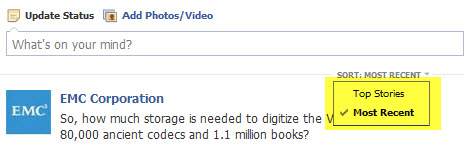
The feature was hard to find so nearly everyone kept the default, Top Stories.
Soon users will be able to sort their News Feed by All Friends, Photos, Music, Games, Following, Groups, even lists of friends. Importantly the News Feed selection area will be prominently displayed. 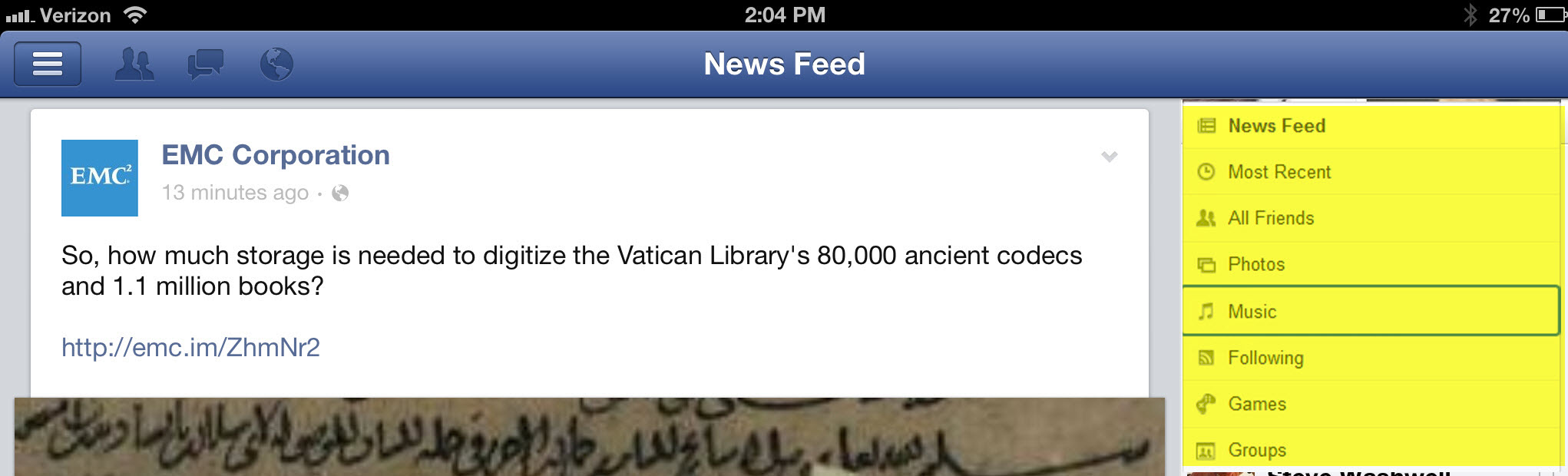 Facebook assures that EdgeRank will remain the same for the default News Feed. So if users keep the default News Feed, marketers should see the same results. However, if users select All Friends, marketers are shut out of the News Feed, unless they buy placement.
From our prospective the most interesting News Feed segment is “Following,” which will display updates from Pages and people you follow in chronological order. Basically it turns your News Feed into a river of news RSS reader. They even use the same icon!
With the Following segment, no longer will the Facebook EdgeRank algorithm decide if your corporate content is relevant. Your Fans will decide. Since the feed is chronological, will it pay to publish early and often? Or is it a better strategy to hope you engage Fans so their social gestures will place your content in what is likely to soon be the coveted All Friends News Feed? How will marketers know what and when to publish? We will have some thoughts on these issues soon.
SimpleFeed Screencast – Social Sharing in RSS Feeds
Learn how to expand your social presence by using SimpleFeed’s Social Sharing Feature in RSS Feeds
SimpleFeed Screencast – Using RSS to Expand Your Social Media Marketing Distribution
In this SimpleFeed Screencast learn how to use RSS Feeds to expand the distribution of your Social Media Marketing content.
SimpleFeed Screencast – RSS Reading in Windows 8
Today we look at RSS Feeds in Windows 8. We review two new “Live Tiles” apps, FeedReaders and Bento. We also look at RSS subscription in IE for the Windows 8 desktop and the common feedlist.
SimpleFeed Screencast – Understanding Content Syndication
In our inaugral YouTube Video we explain Content Syndication to web sites using RSS Feeds.
New Apple Podcast App – Time to Get Podcasting!
Like so much “dead” Web 2.0 technology Podcasting has quietly grown into a very successful medium. Bottom line is people listen to podcasts while commuting, exercising or just sitting at their desks. At SimpleFeed our customers routinely see downloads in the tens of thousands. That is nothing if you are CBS, but if you are a B-B marketer or niche retailer, that is great! And it is poised to get better.
Over the last five years, Apple rode its iPod/Phone/Pad hardware and iTunes media synergies to podcast distribution dominance. With the growth of other categories in iTunes, it is hard to find the Podcast section and once there, challenging to search, discover and subscribe.
That ends today with Apple breaking out Podcasting into its own iPhone/iPad App, called, Podcasts. After install you are greeted with two sections, “Podcasts”  where any existing subscriptions reside and “Top Stations.”
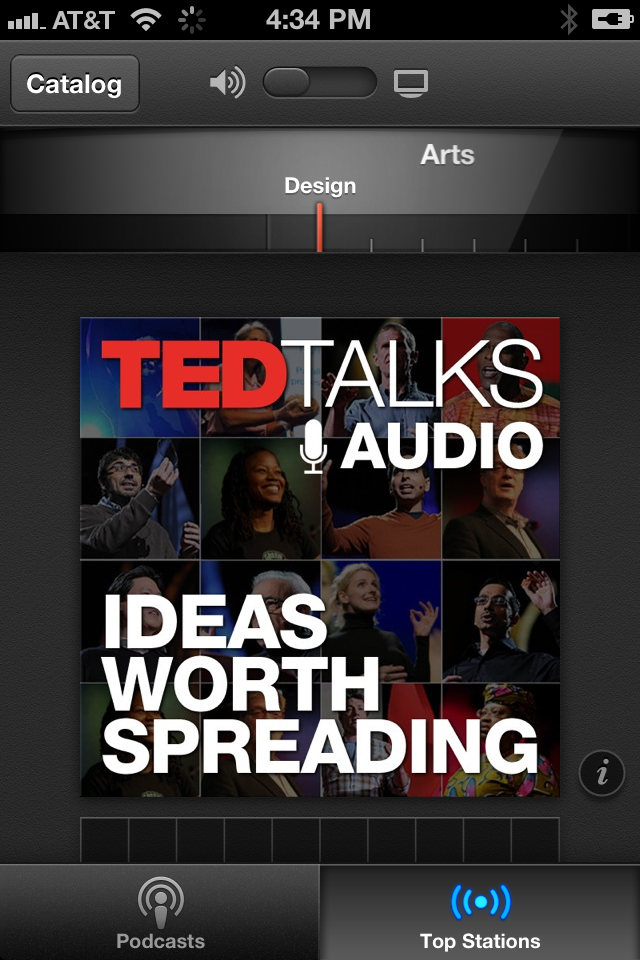
Under the Top Stations section, users can quickly flip through sections to discover, listen and subscribe to new podcasts. New audio controls include the ability to skip back 10 seconds or move forward 30 ala DirecTV. In the upper right is a “Catalog” button which takes you back to the iTunes Podcast interface. Subscriptions are synced back to iTunes.
Off the Podcast tab click an icon for a subscribed podcast and you are taken to a smaller version of the familiar iTunes Podcast “Artist Page.” Here you can listen to podcasts instantly. 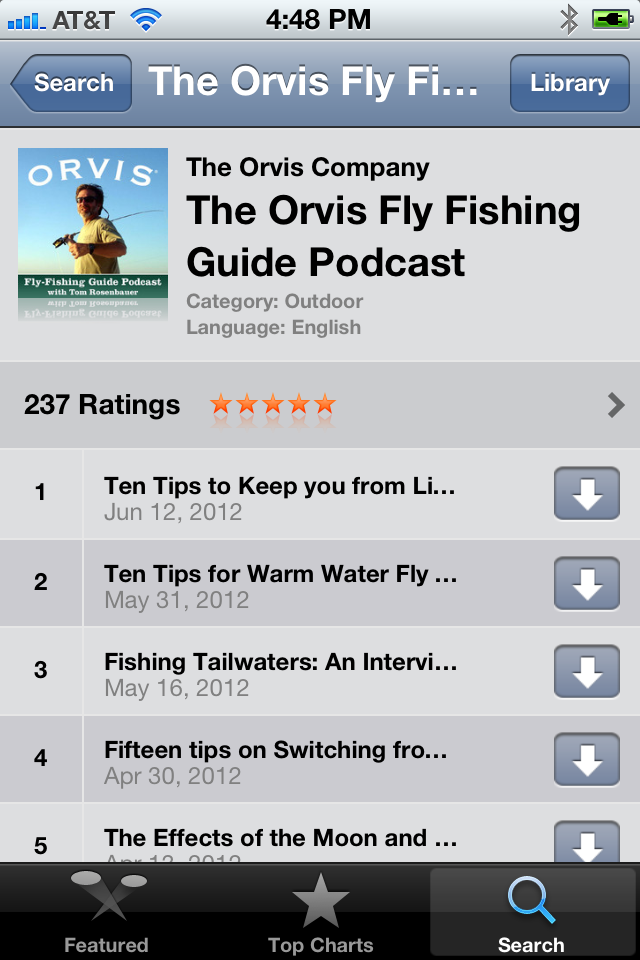 Apple also add the ability to Tweet, iMessage or Email the Podcast as you listen. That is a nice feature which should make Podcasts more social and increase the virality of podcasting.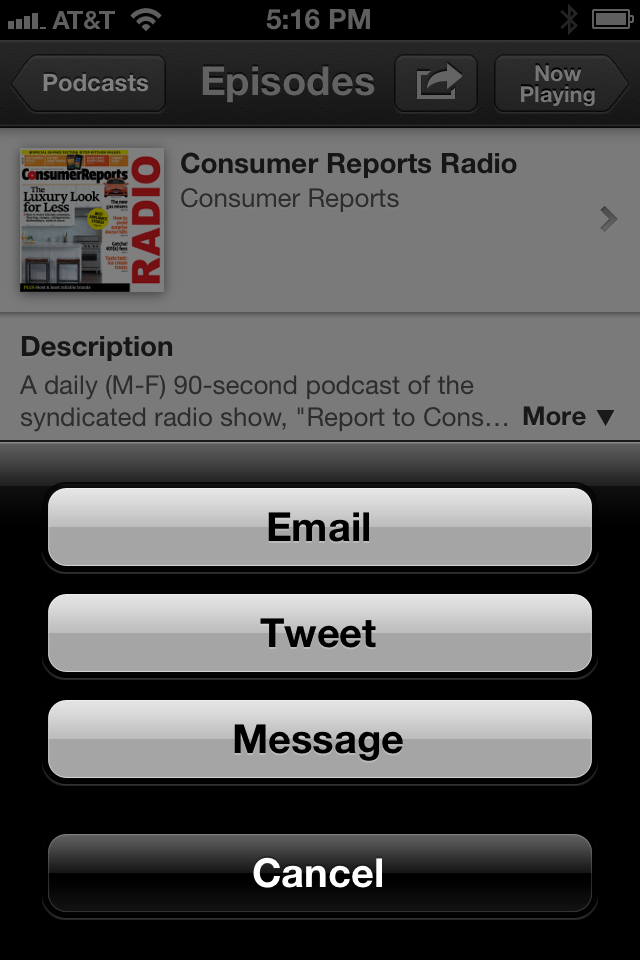
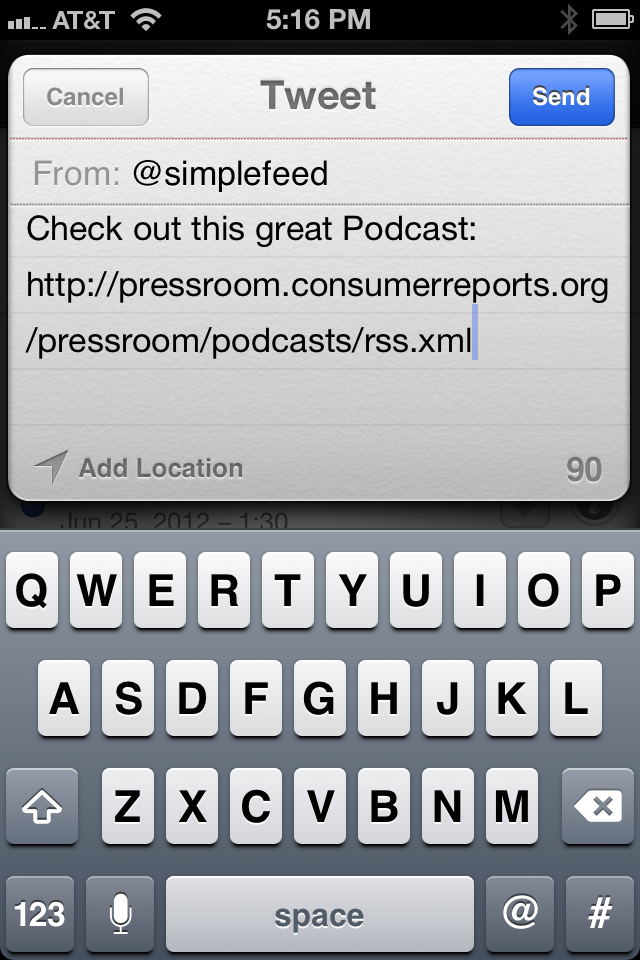
So if you have a podcasting program it is about to get better. If you never had a program think about publishing the sessions from your customer conference if you are a B-B company. If you are a B-C company public appearances, sponsorships, and really any audio product information is great. It is a cheap and effective way to market your offerings and it is about to get a big boost.
iPad for Marketing app review – StreamGlider
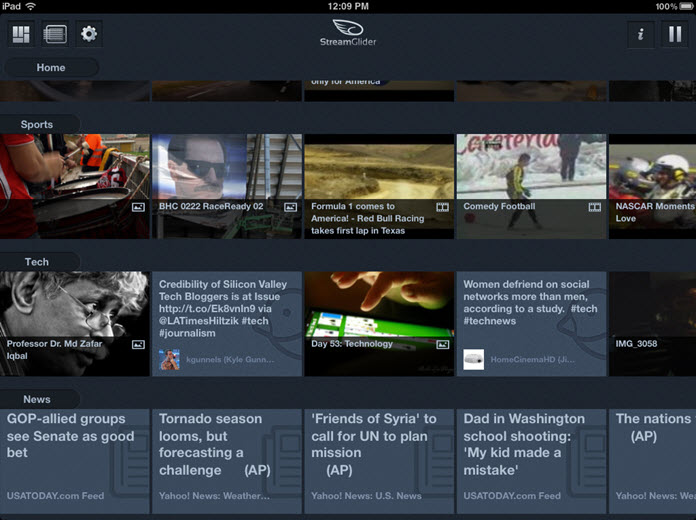 After an off-again/on-again rollout, the StreamGlider app is back on the market. Featuring a free, standard version as well as an ad-free pro version, it’s one of the latest entrants in the pantheon of news-and-social-media aggregators. How does it stack up against other go-to apps, such as Flipboard, Livestand, and Pulse?
The app opens to a clean matrix of images and headlines panning from left to right. Streams are stacked vertically down the page like filmstrips. Each stream is a different category – news, sports, tech, images – and each frame in the filmstrip is a feed.
Customizing streams and feeds is easy with intuitive, tap-to-add navigation. If the feed a user wants to add is featured on the landing pane, then they’re in luck – with a tap it appears in their stream. However, as the list of featured content providers is only about eight advertisers long, most likely users will need to browse for content at some point.
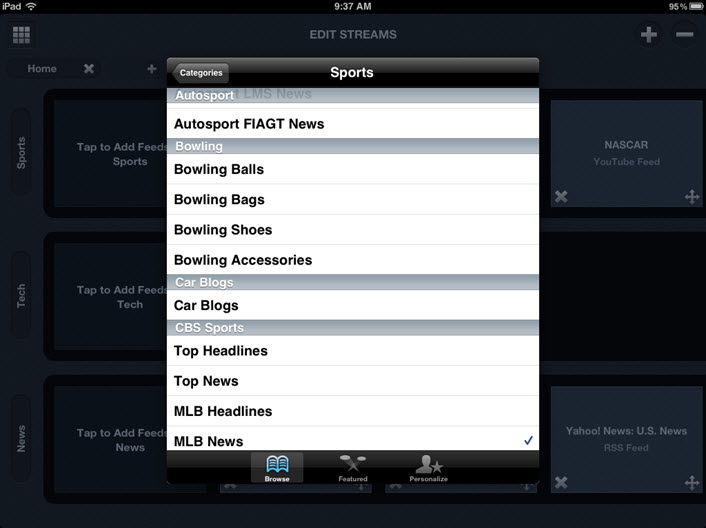 And this is where the app stumbles. While the app includes standard browsing buckets, several buckets don’t have many feeds from which to choose. If feeds readers wants are not on the list, they’ll need to do a search. But if their feed doesn’t advertise with StreamGlider, it won’t show up in a search. I tried all sorts of feed names and URLs, well known and obscure, and not one of them came up lucky. Even a search of “baseball” – an active topic with spring training around the corner – yielded nothing.
A similar mismatch occurs with StreamGlider’s social media sync. During start-up of both standard and pro versions, the app offers to sync with Facebook, Twitter, Flickr, and YouTube accounts. Though it goes through the process of login/password, it doesn’t automatically pass the content through to a stream. Readers can manually add content from social media accounts, such as activity on Facebook. And while StreamGlider streams updates, it won’t prowl for news and information based on social media preferences or patterns.
Social media streams notwithstanding, users ought to wonder: If StreamGlider limits content to that of featured advertisers, will browsers find the app relevant?
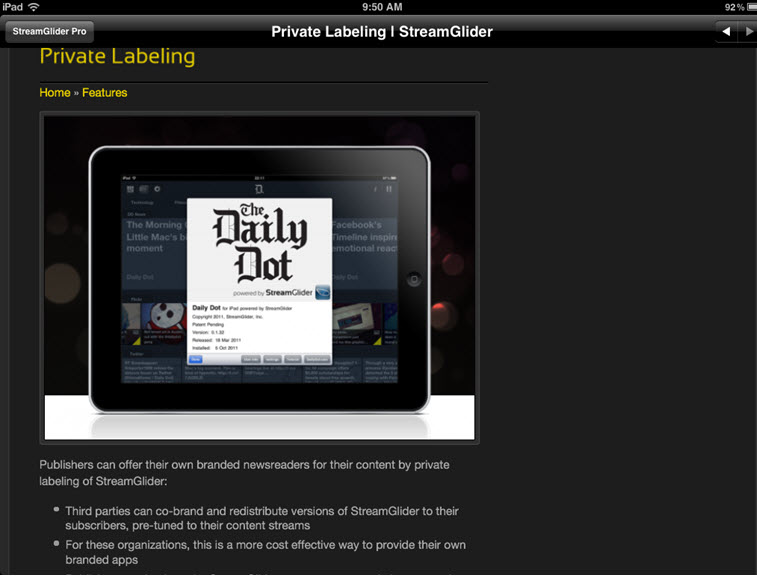 It could be that StreamGlider wants to be a slick, customizable transport vehicle, rather than an aggregator. According to the website, interested parties can distribute private-labeled or co-branded content via StreamGlider to closed audiences. This model could be interesting for companies looking for a sure-fire way to reach customers or prospects who opt in to get tailored relevant content, such as a private-labeled corporate news magazine. But whether the app has real value for both consumers and publishers will depend on how well it’s able to marry the right content with the right audience.
The Overall Verdict
For users: C. The interface is well designed and easy to navigate, but the app’s relevance really depends on whether a user’s interests align with the featured advertisers.
For publishers: C. It’s disappointing that StreamGlider apparently only picks up feeds from advertisers. However, StreamGlider as a private-label distribution mechanism (where independent parties use the StreamGlider front-end to deliver content) resolves the relevance gap for both users and publishers. That’s A-range territory.
iPad for Marketing App Review: Google Currents
After much anticipation and speculation, Google has finally released Currents—its mobile newsreader.  Designed to distribute content via tablet and mobile devices, it fulfills its mission in Google’s typical understated, yet powerful way.
Readers sign in with their Google account credentials and Currents opens to a clean palette of Library icons along with all the reader’s Google Reader content. Information flows seamlessly across Google’s applications, so readers don’t waste time doing repetitive setup.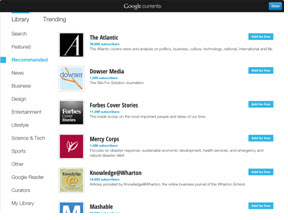
 Adding subscriptions to the library is easy. Readers can search through a host of categories or by publication or RSS feed. Toggle to the Trending plate to view headlines and Library content along with a gallery of half-page images from each headline. Readers can watch the entire rotation or dive into an article.
A serious flaw: even though readers can sync with social media sites such as Facebook, Currents doesn’t use social media settings or activities to tailor content. And compared to Flipboard–which lets users browse their Facebook news in a visually rich, compelling way–Currents’ presentation of social media content falls flat.
 If you’re a marketer, though, there’s a lot to like about Currents. Publishers are well supported through the Producer portal. Nearly anyone can quickly and easily set up digital content to flow to both Android and iOS platforms. You can design for tablets or phones and view how content will render across devices, and tie together content for a uniform deployment. It’s a big win for both large and small publishers.
As a content reader, Currents excels. But like so many straight-A students, Currents lacks depth outside its single focus. It doesn’t surprise or delight with unexpected but relevant content. It doesn’t woo with social media that could captivate readers to linger. And for that reason, Currents may not appeal to audiences hungry for the entertainment so effortlessly delivered by Flipboard and its peers.
 The Final Verdict
The reader experience: B. Stellar functionality, beautiful rendering, clean and effortless navigation. A fantastic news reader; but at the end of the day, it’s just that: a news reader. Lacks the pep and verve of a full-life-view reader.
The publisher experience: A. If your publication or feed is out there, it’s easy for users to find it. And self-publishing digital content is easy and seamless across Android and iOS platforms.

 Behind The Feeds